ImageList
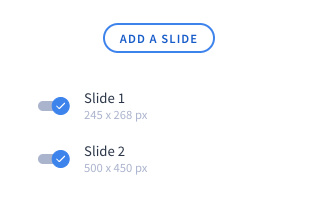
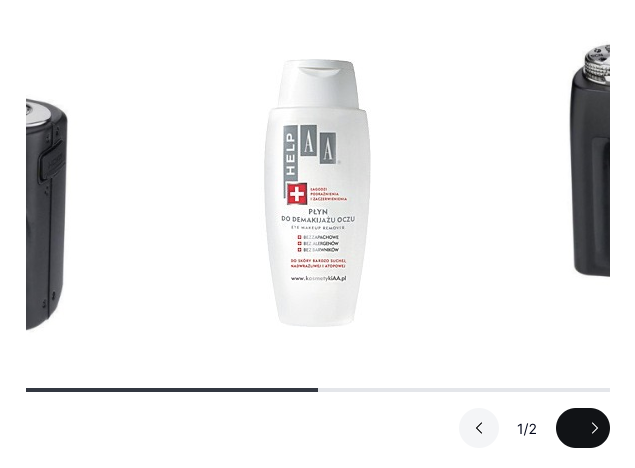
ImageList element (slider) is an element for uploading more than one image.
View in SVE:
View on the page:
Options
newItemTitle
string Title for new item for image list.
maxNumberOfItems
int Optional parameter. Maximum number of images.
requireImageSize
bool Optional parameter. If true is set, customer must specify maximum image width.
allowedExtensions
array Optional parameter. List of allowed extensions for image.
You can specify your list based on allowed extensions in Shoper:
- gif,
- jpeg,
- jpg,
- png,
- wbmp,
- webp,
- bmp,
- ico,
- svg.
JSON
{
  "options":
    {
      "newItemTitle" : "Add image",
      "maxNumberOfItems" : 5,
      "requireImageSize" : true,
      "allowedExtensions" : ["jpeg", "jpg", "png"]
    }
}
Build-in Validators
Element validate if sent images are correct and have specified by you allowed extension. If you set maxNumberOfItems, maximum numbers of images will be checked.
Available Validators
Element does not have available validators.
Relations Support
Element does not support relations between elements.
Configuration output schema
schema
{
  "<element_type>" : "imageList",
  "<element_name>" : string,
  "<element_isRequired>" : bool,
  "<element_isHidden>" : bool,
  "<element_options>" : {
    "<element_option_newItemTitle" : string,
    "<element_option_maxNumberOfItems" : int,
    "<element_option_requireImageSize" : bool,
    "<element_option_allowedExtensions>" : array
  }
}
example
{
  "type" : "imageList",
  "name" : "slider",
  "isRequired" : true,
  "isHidden" : false,
  "options": {
    "newItemTitle" : "Add image",
    "maxNumberOfItems" : 5,
    "requireImageSize" : true,
    "allowedExtensions" : ["jpeg", "jpg", "png"]
  }
}
Element value
If value is filled it will return an array of items. Each item has the following keys:
| Name | Type | Description |
|---|---|---|
| active | bool | Is given item active/visible |
| image | array | Uploaded image, in the same format as ImageUpload value |
| url | string | Optional URL the item should link to |
| alt | string | Optional alt text for the image |
usage in module TWIG
{% for item in moduleConfig.slider %}
    {% if item.active %}
        <img src="{{ item.image.paths.original }}" {% if item.alt %}alt="{{ item.alt }}"{% endif %} />
    {% endif %}
{% endfor %}
Example of module
Twig
Twig
<div>
    {% if moduleConfig.images|length %}
        <b>{{ translate("Slides") }}</b>
        {% for item in moduleConfig.images %}
            {% if item.active %}
                <li class="splide__slide photo-slider__slide">
                    {% if item.url %}
                        <a href="{{ item.url }}">
                    {% endif %}
                        <img src="{{ item.image.paths.original }}" {% if item.alt %}alt="{{ item.alt }}"{% endif %} />
                    {% if item.url %}
                        </a>
                    {% endif %}
                </li>
            {% endif %}
        {% endfor %}
    {% endif %}
</div>
JSON configuration
JSON configuration
[
  {
    "state": "unfolded",
    "label": "Slides",
    "elements": [
      {
        "type": "imageList",
        "name": "images",
        "supportsTranslations": true,
        "isHidden" : false,
        "isRequired" : true,
        "options": {
          "newItemTitle": "Add a slide",
          "allowedExtensions": ["jpg", "jpeg", "png", "webp", "svg", "gif"],
          "requireImageSize": false,
          "maxNumberOfItems": 5
        }
      }
    ]
  }
]